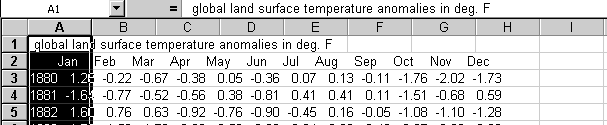
The National Oceanic and Atmospheric Administration has tabulated what are called "Global Surface Mean Temperature Anomalies":
" The average annual temperature of the globe is about 59 deg. F (15 deg. C). That value can be added to global anomalies to approximate absolute temperatures. Anomalies (also called departures from average) are used because they describe more accurately climatic variability over large areas than the absolute temperatures do and they give a frame of reference that allows for easier interpretation of the numbers. For example, a summer month over a large area may be cooler than average, both at a mountain top and in a nearby valley, but the absolute temperatures may be quite different at the two locations. The use of anomalies in this case will show that temperatures for both locations were below average. For these reasons, it is the anomalies that are computed for large-area summaries (like a hemisphere or the globe), not the temperature itself."
A page which lists departures from the 120 year means for land temperature for every month from January 1880 to December 2000, some 1440 data values is copied locally here. You will want to use this local copy to follow along in the examples below. You will find a set of links to the most recent updates to these historical data at the bottom of this page:
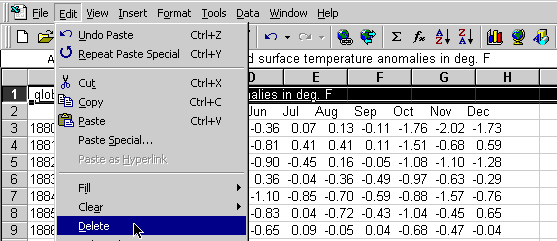
Now select the first column and Data -> Text to Columns... These data are pretty clean so Excel is able to do a nice job of splitting the data apart as you can see from the preview. You can step through the Wizard confirming the way it has interpreted the columns of information.
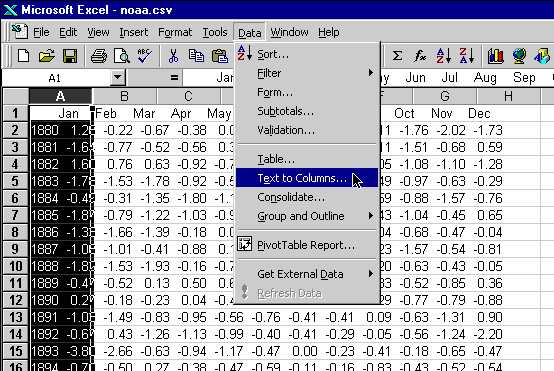
The data are now spread across the columns. You can scroll around in the spreadsheet and see all the values nicely arrayed in the rows and columns of the sheet.
Click on the empty space above row 1 and to the left of column A to select all the cells in the spreadsheet. Then double-click on the divider between column A and column B. This will cause Excel to change the width of all the columns of data so they are only just wide enough to show the data they contain and no wider, thereby pulling all the columns tightly together.
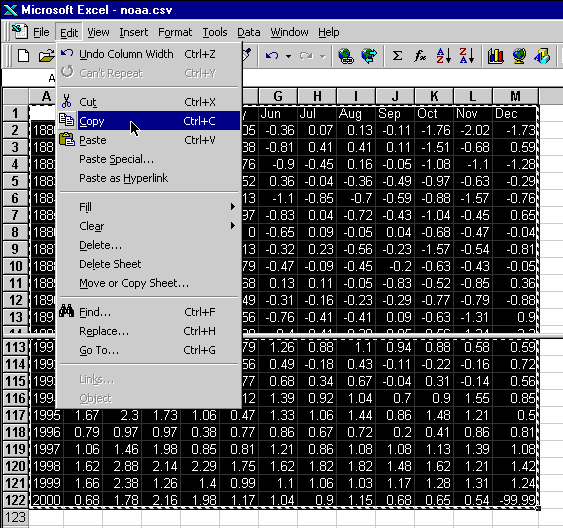
Now select the data from the upper left corner (above the column of years) to the lower right corner (December 2000) and then Edit -> Copy the data from the Excel spreadsheet.
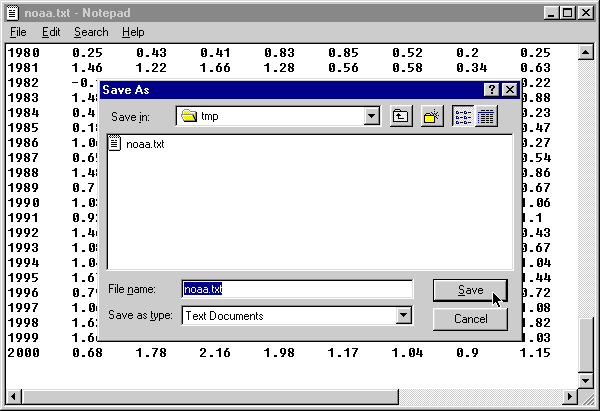
Now open your favorite TEXT editor and paste in the data you had copied from Excel. Save the file as noaa.txt and close your editor.
Don't have a favorite TEXT editor? Here are some suggestions about text editors provided with various operating systems.Once you have performed the paste operation, you will see nice columns of data. While we had nice columns of data before, they were lined up by spaces in the original text from the web. Now each column is set apart by a single TAB character. Notice the way the cursor jumps from one number to the next as you move about with the cursor control keys. The TAB character plays the same role in the file that pressing the TAB key did when you entered the Physicians data earlier by hand. Save the file as noaa.txt and close NotePad.
- Under Windows, you will find the Notepad from among the programs under the Start menu, (perhaps to be found in the accessories section).
- On the Mac, open a new document in TextEdit and select Format → Make Plain Text and you will have a plain TEXT document into which you can paste the contents of the clipboard.
http://www.census.gov/ipc/www/worldpop.html has data from 1950 to 2000 (local copy here).
Currency Exchange
Search for data on other topics of interest